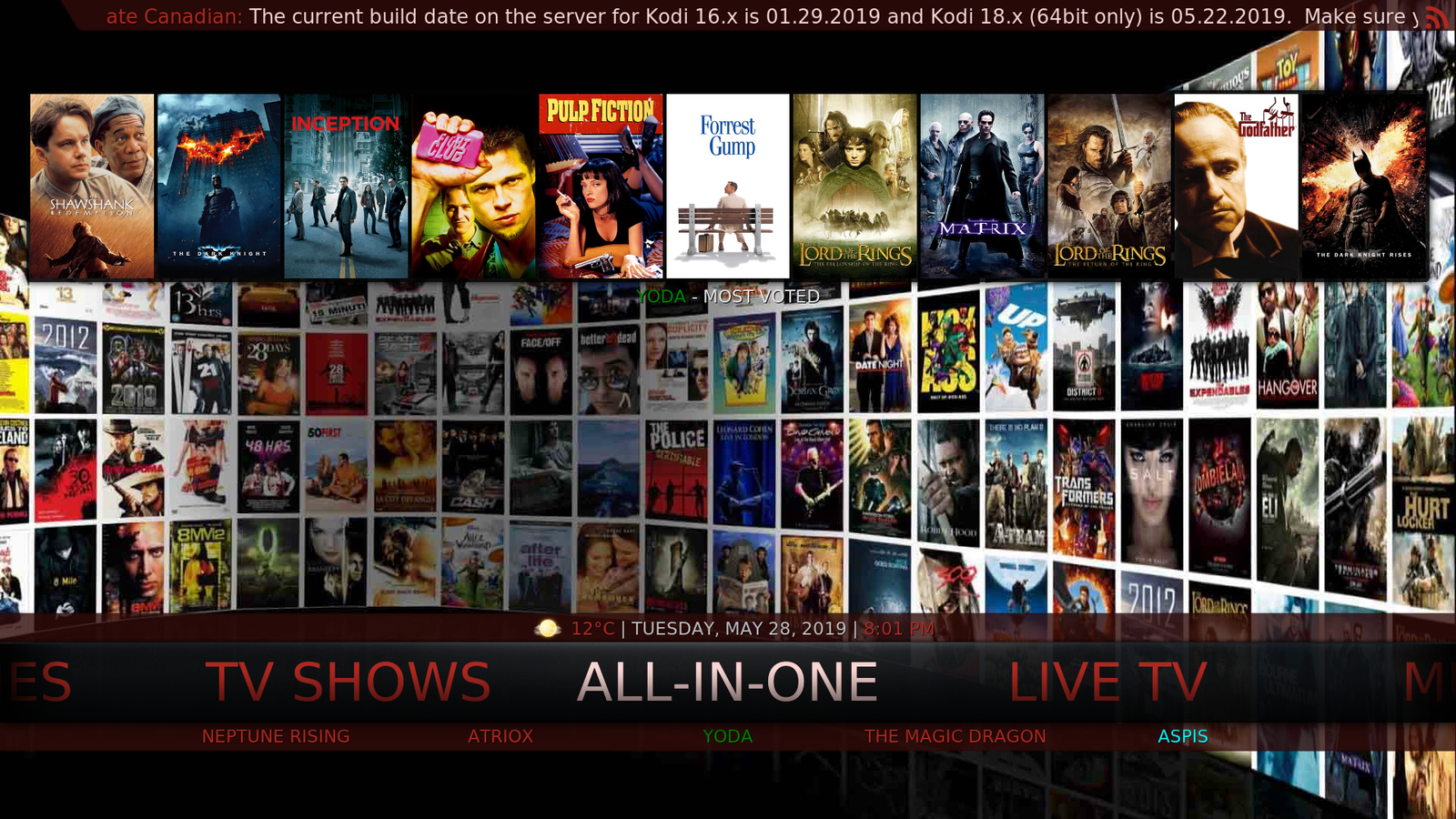
How to Install the 'Ultimate Canadian' build on Kodi 17.6 clean install.
Download and install a clean copy of Kodi 17.6 from www.Kodi.tv.
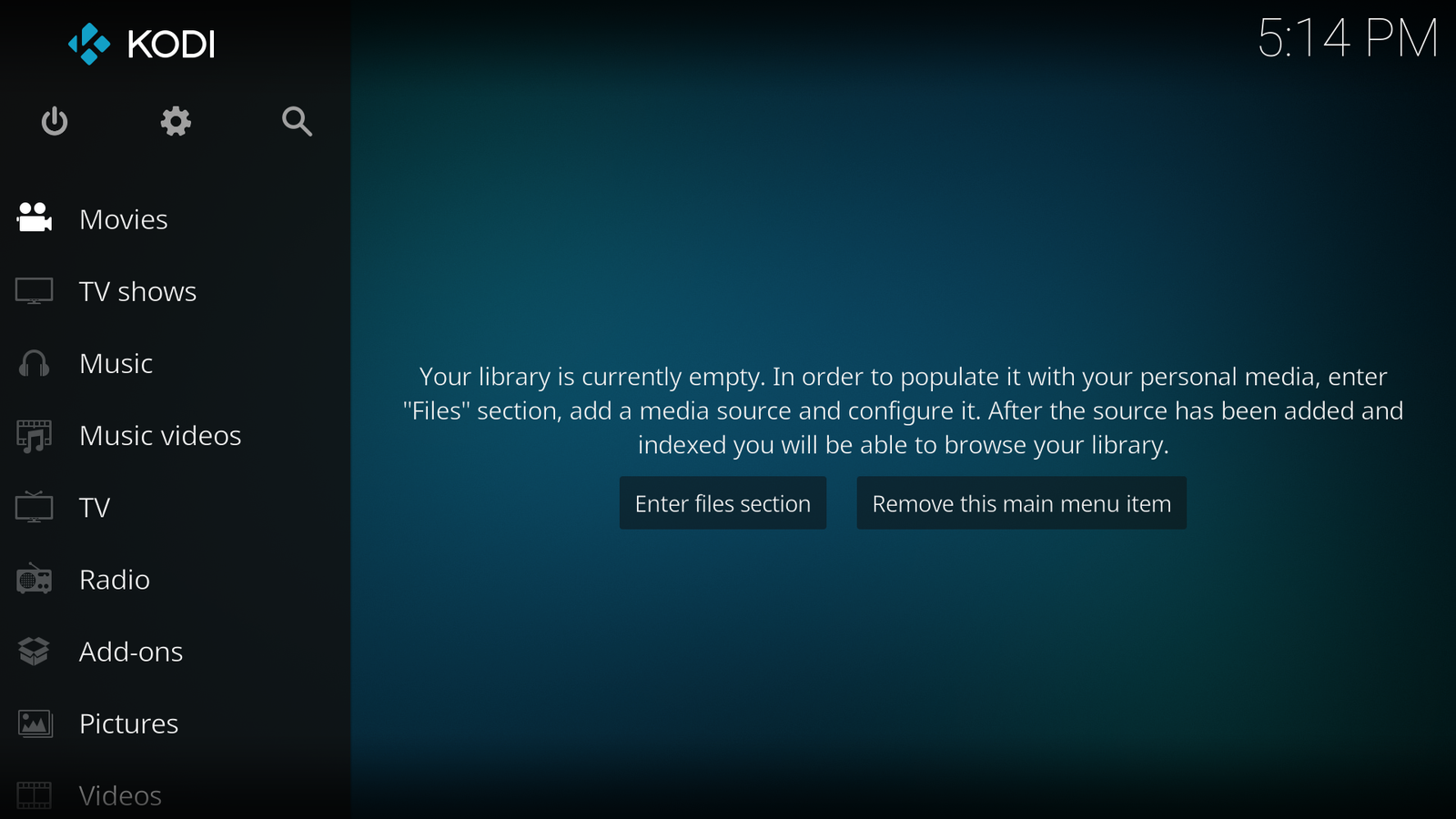
Click on the Gear icon

Click on the File manager
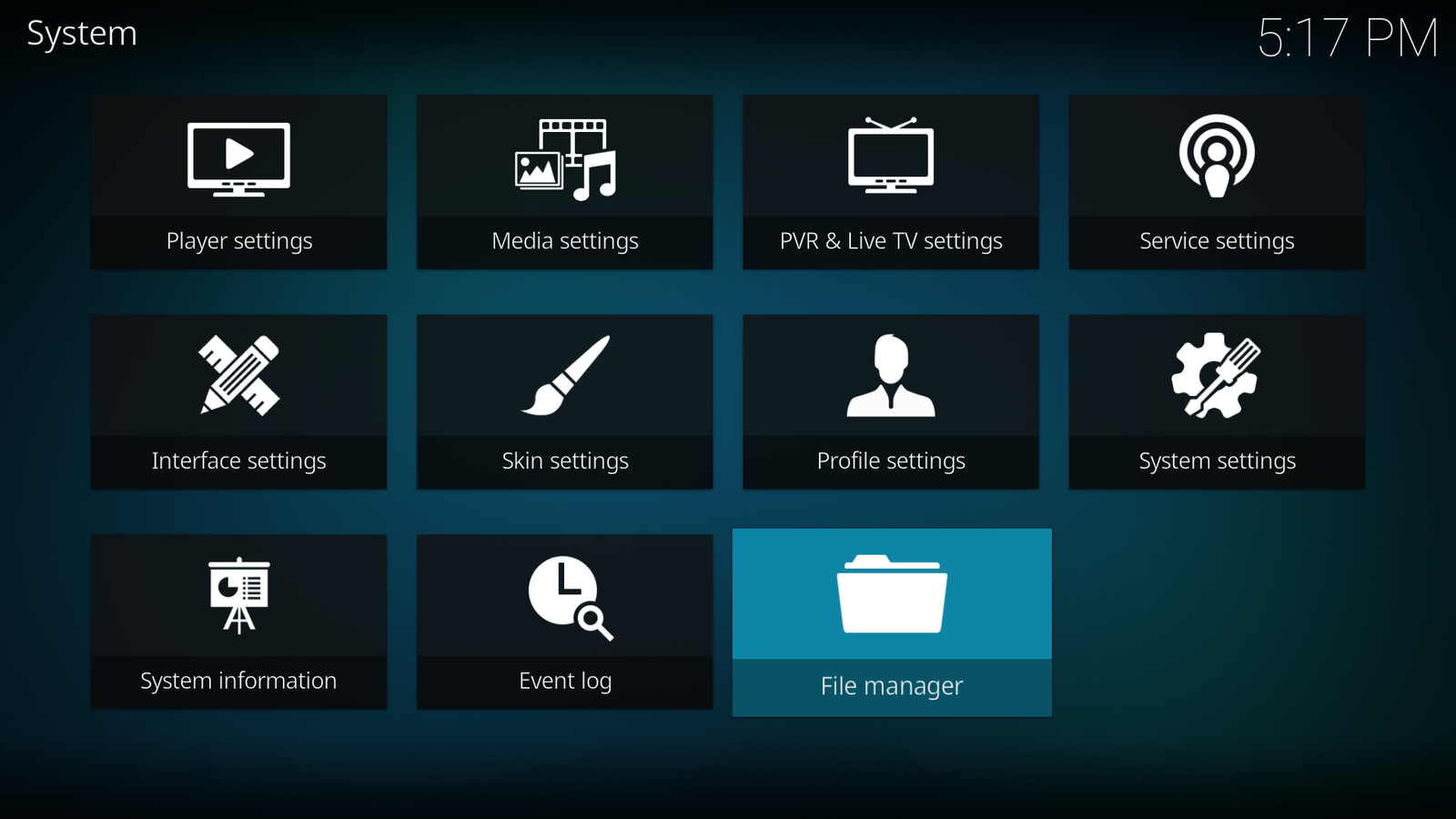
Click on Add source

Press the OK button on the remote to start editing
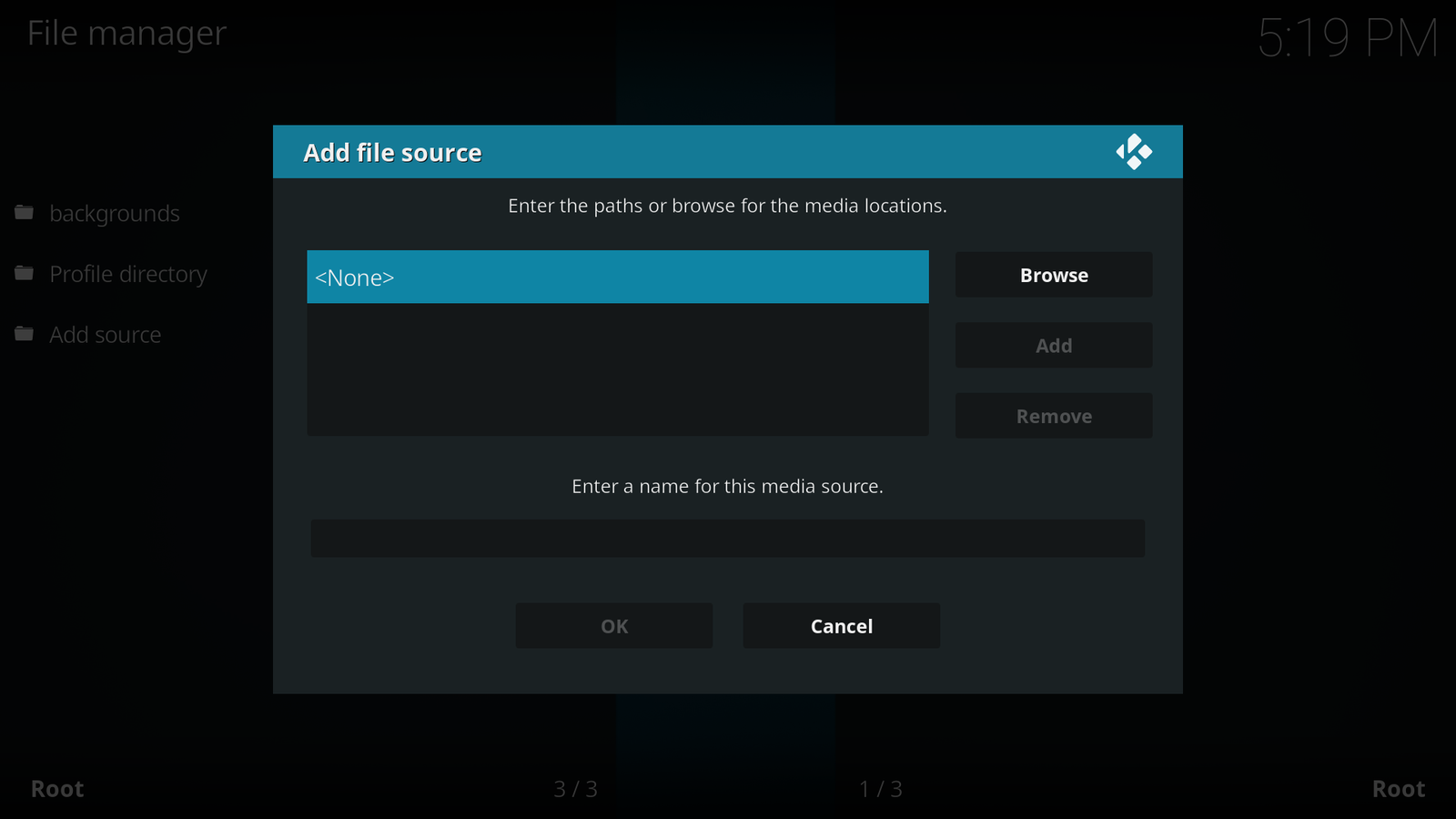
Enter the address exactly, http://tweedandroidboxes.ca/Wizard (notice t6he uppercase ‘W’)
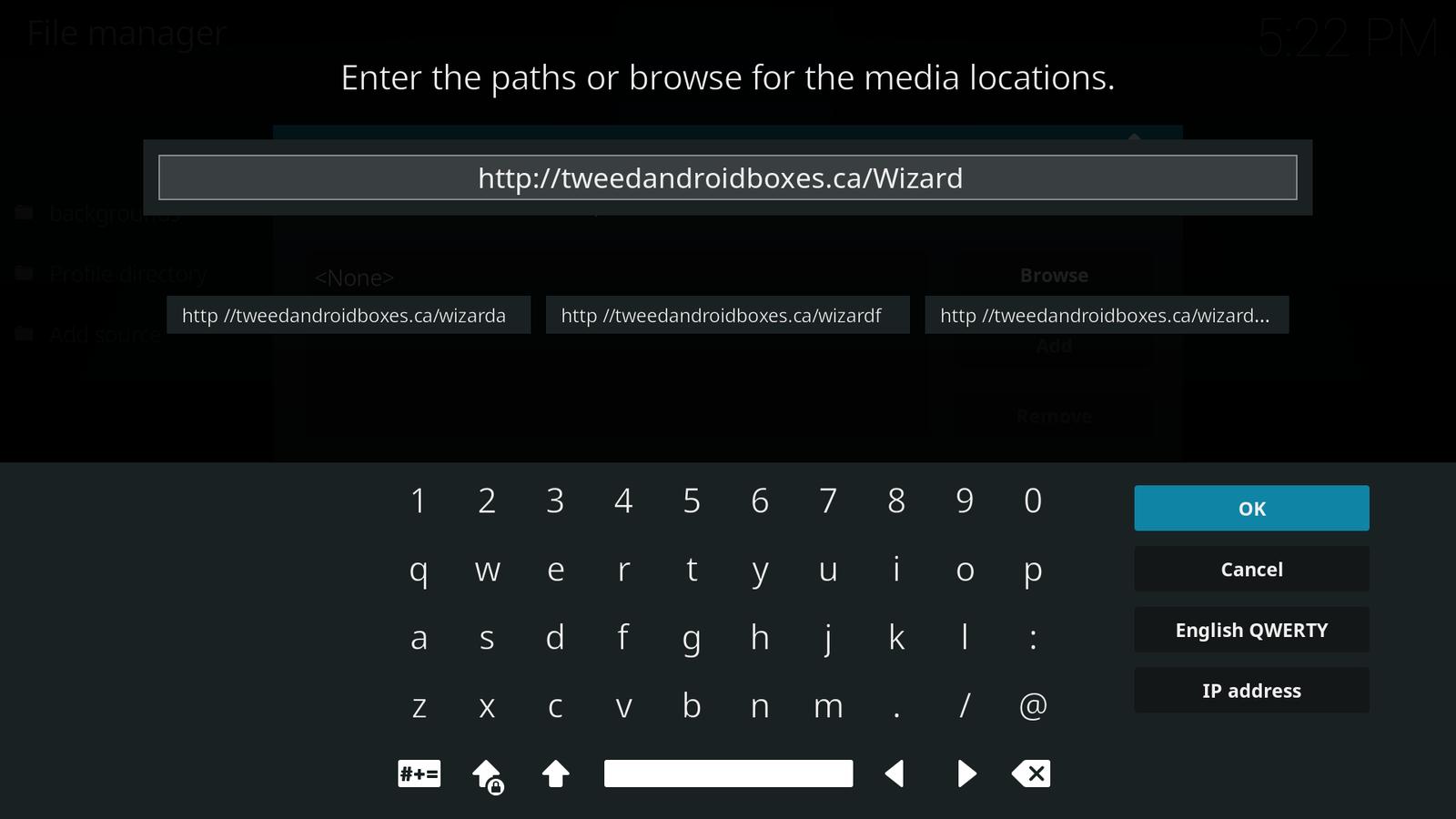
Click OK when finished
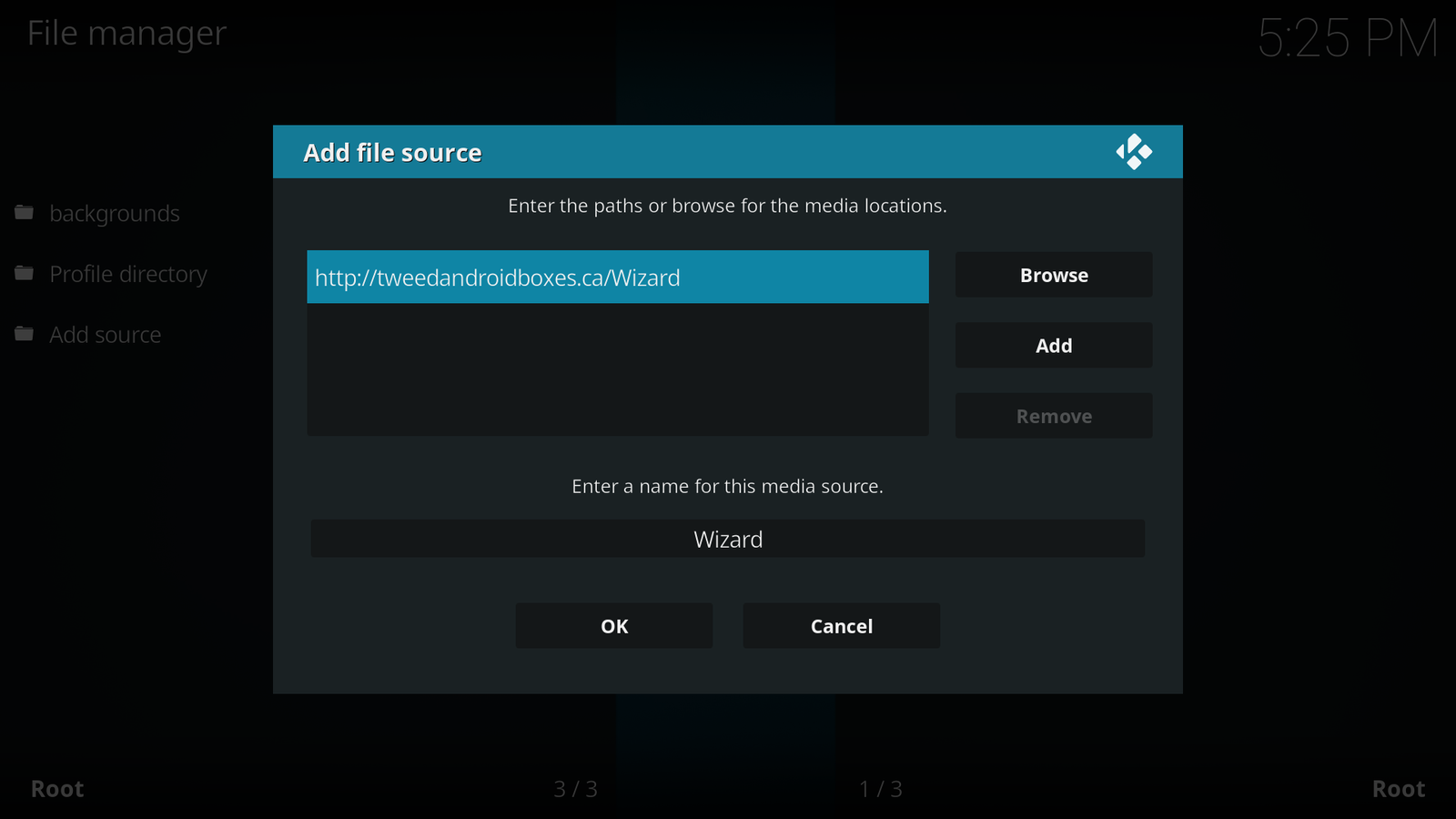
Click on OK
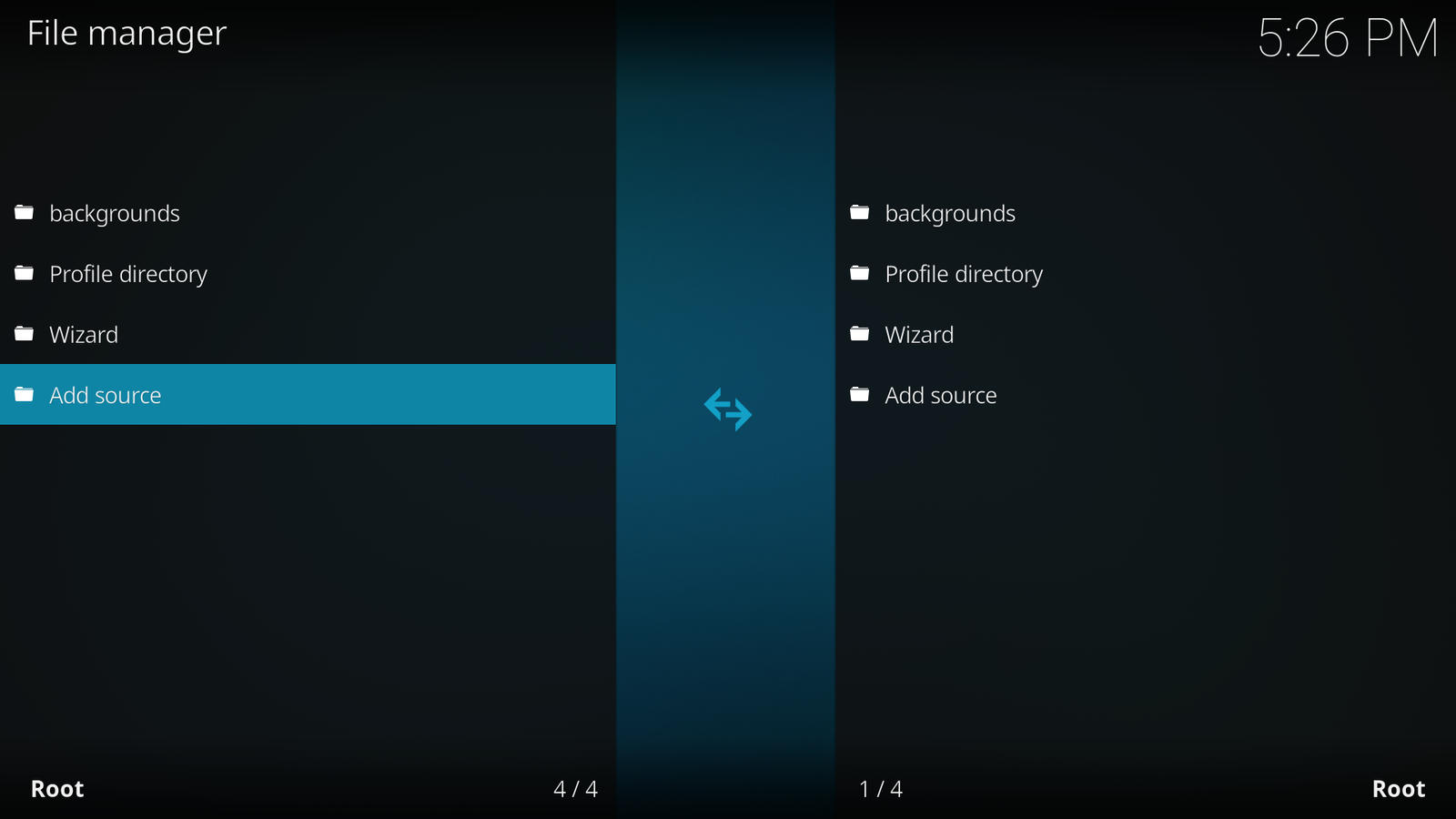
Wizard will now show in the list
Press the back button on the remote
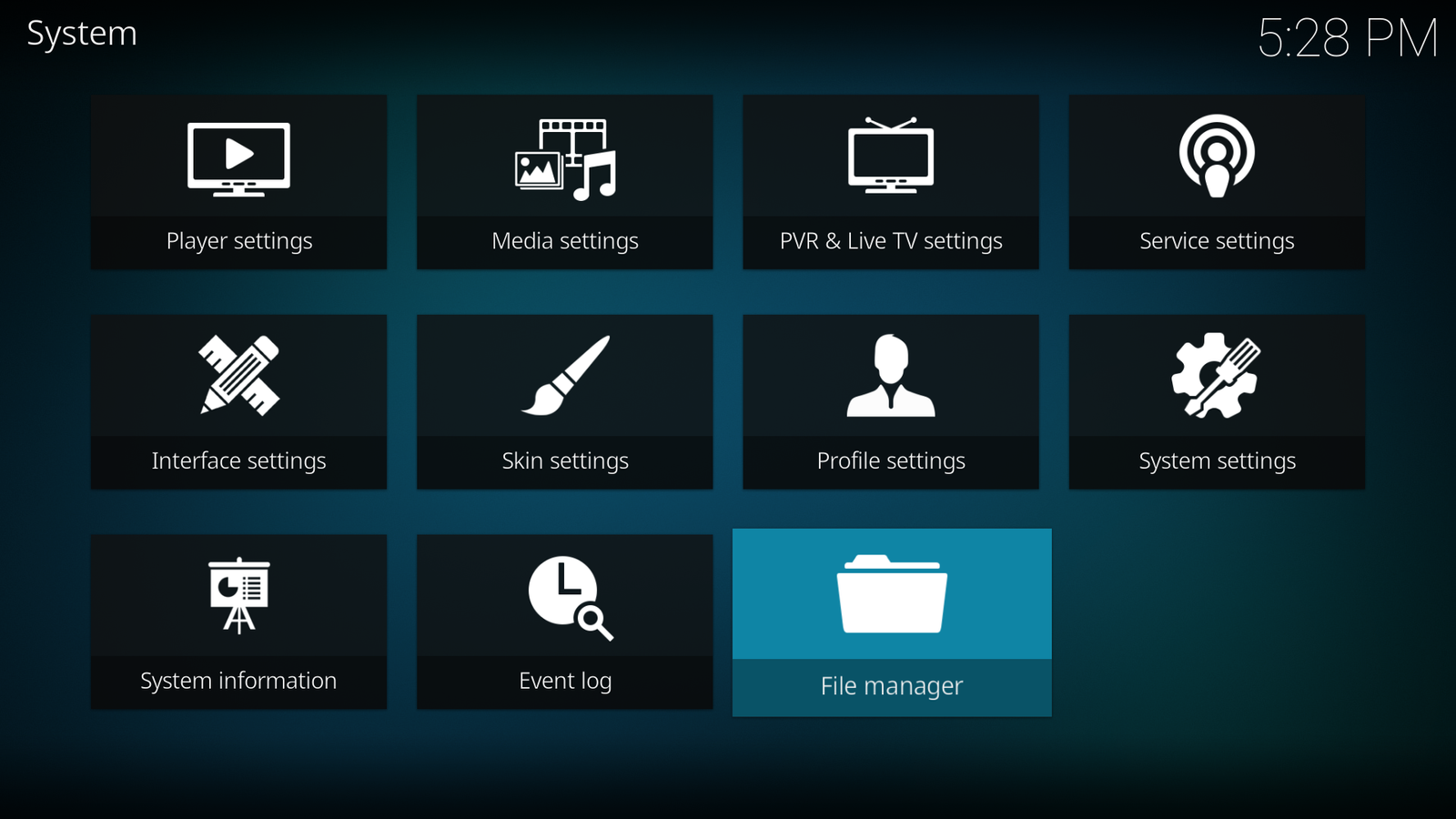
Press the back button on the remote to return to the main menu
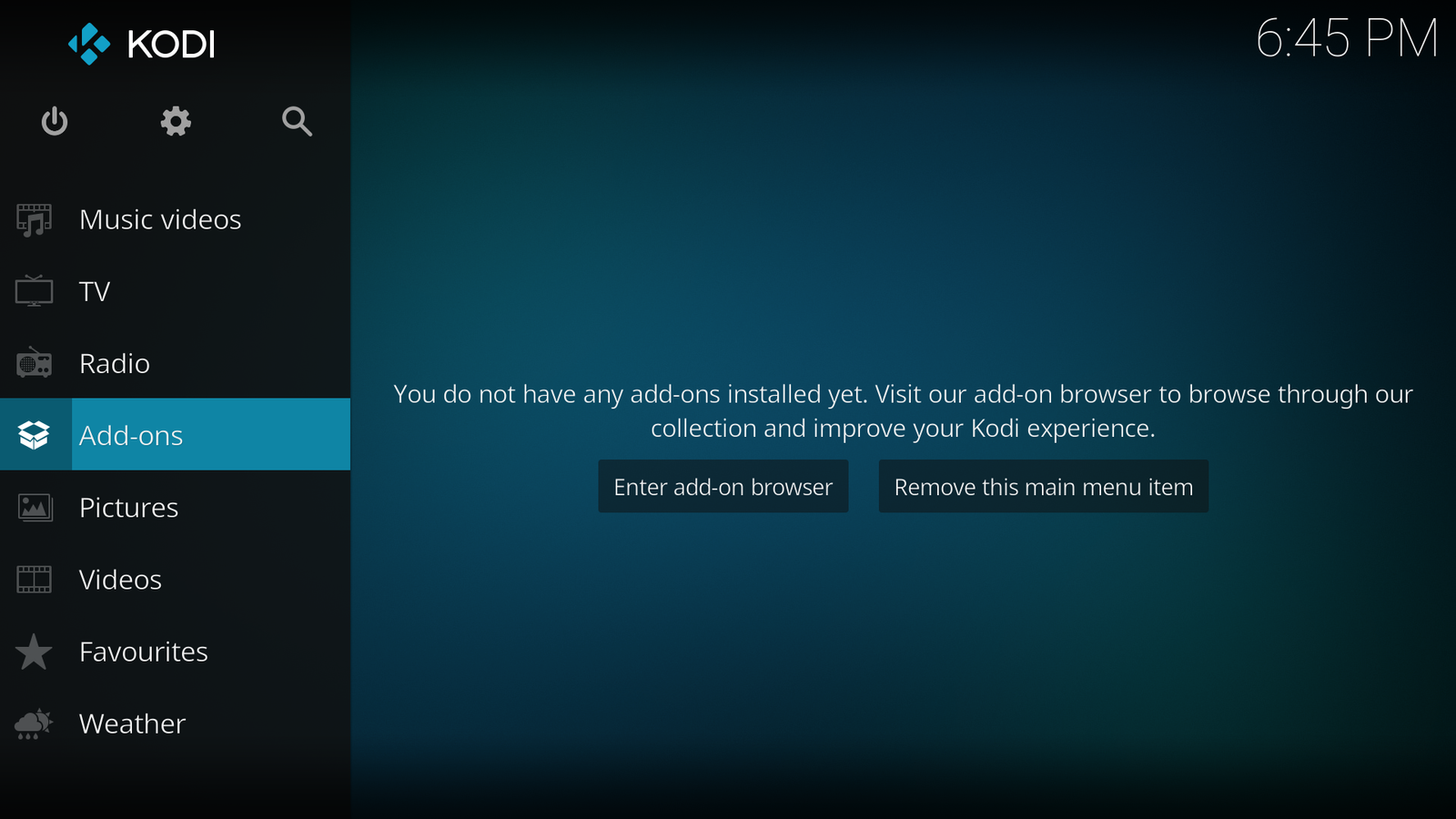
Select Add-ons and press OK on the remote (you may not have the addons shown)
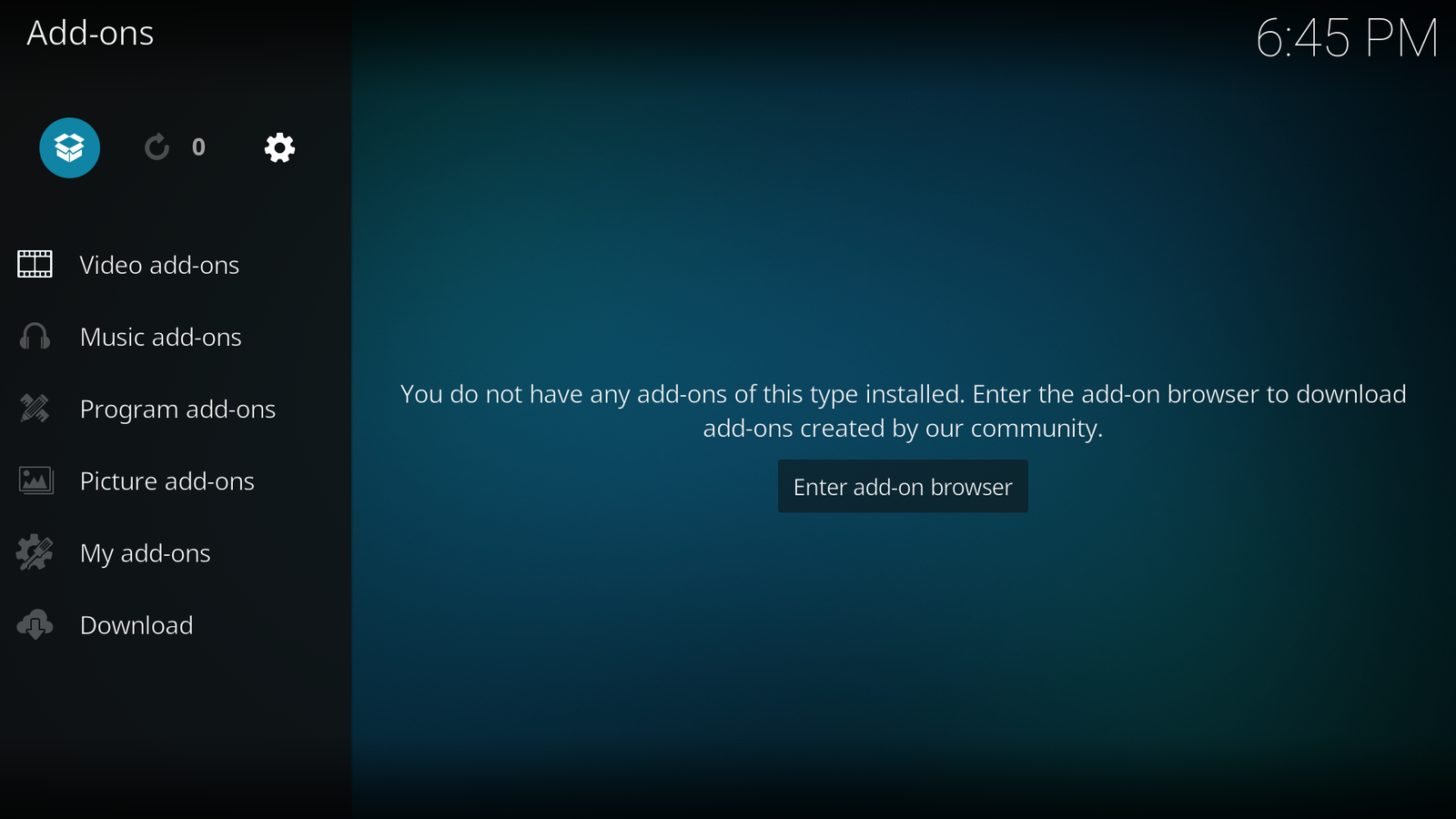
Move up to the box icon and click OK

Move to Install from zip file and press OK
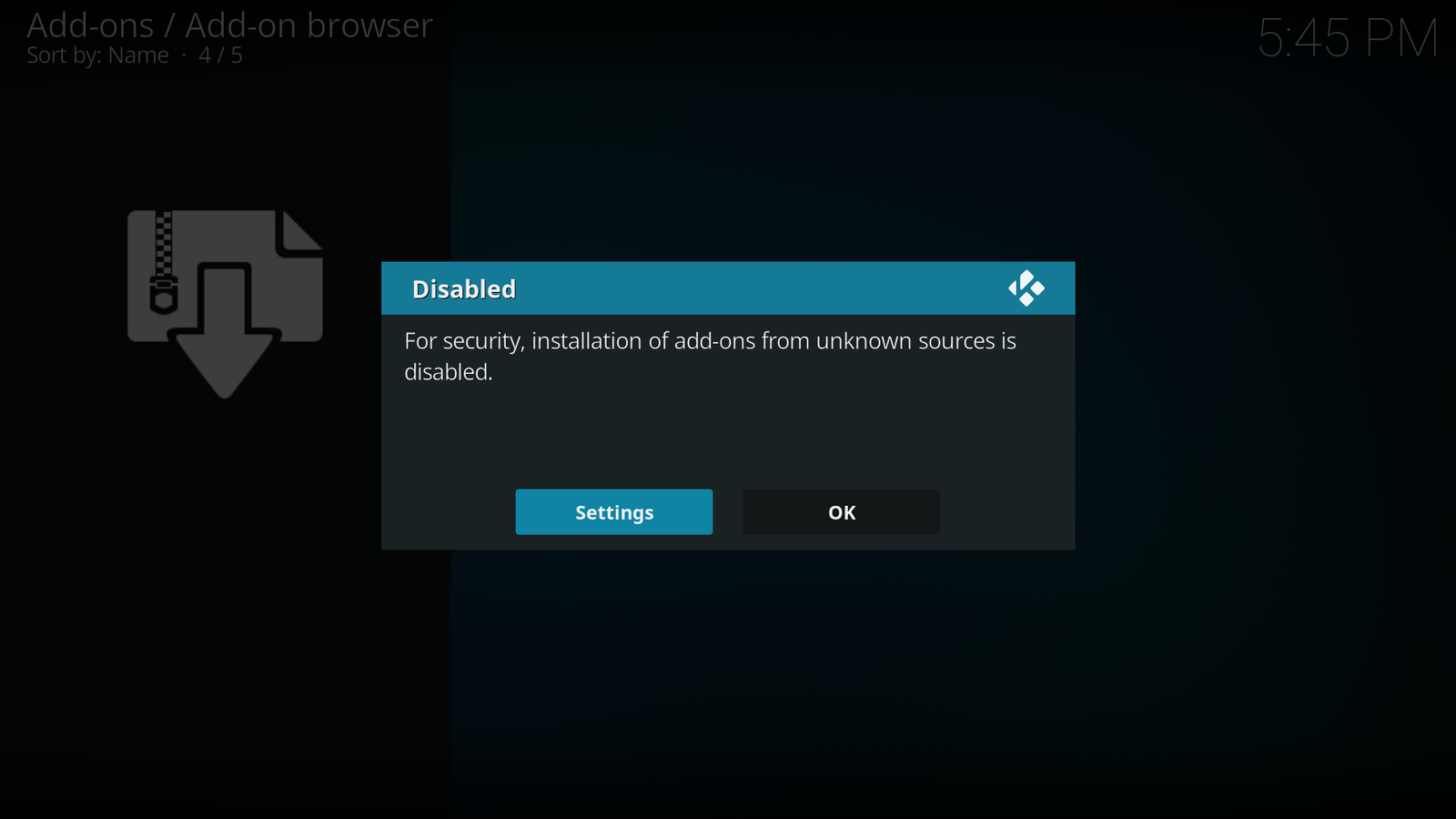
Click on Settings
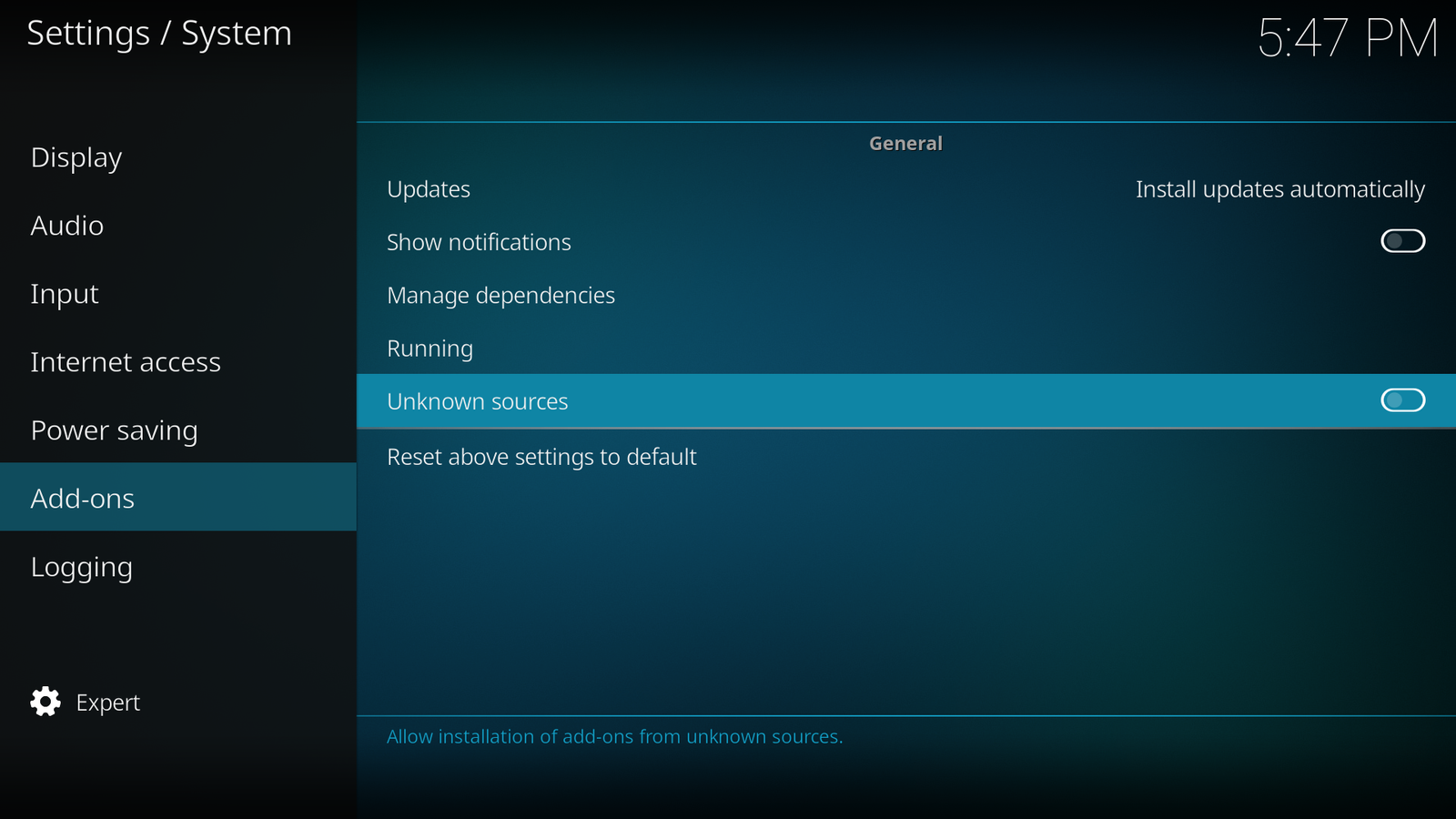
Click on Unknown sources

Click on Yes
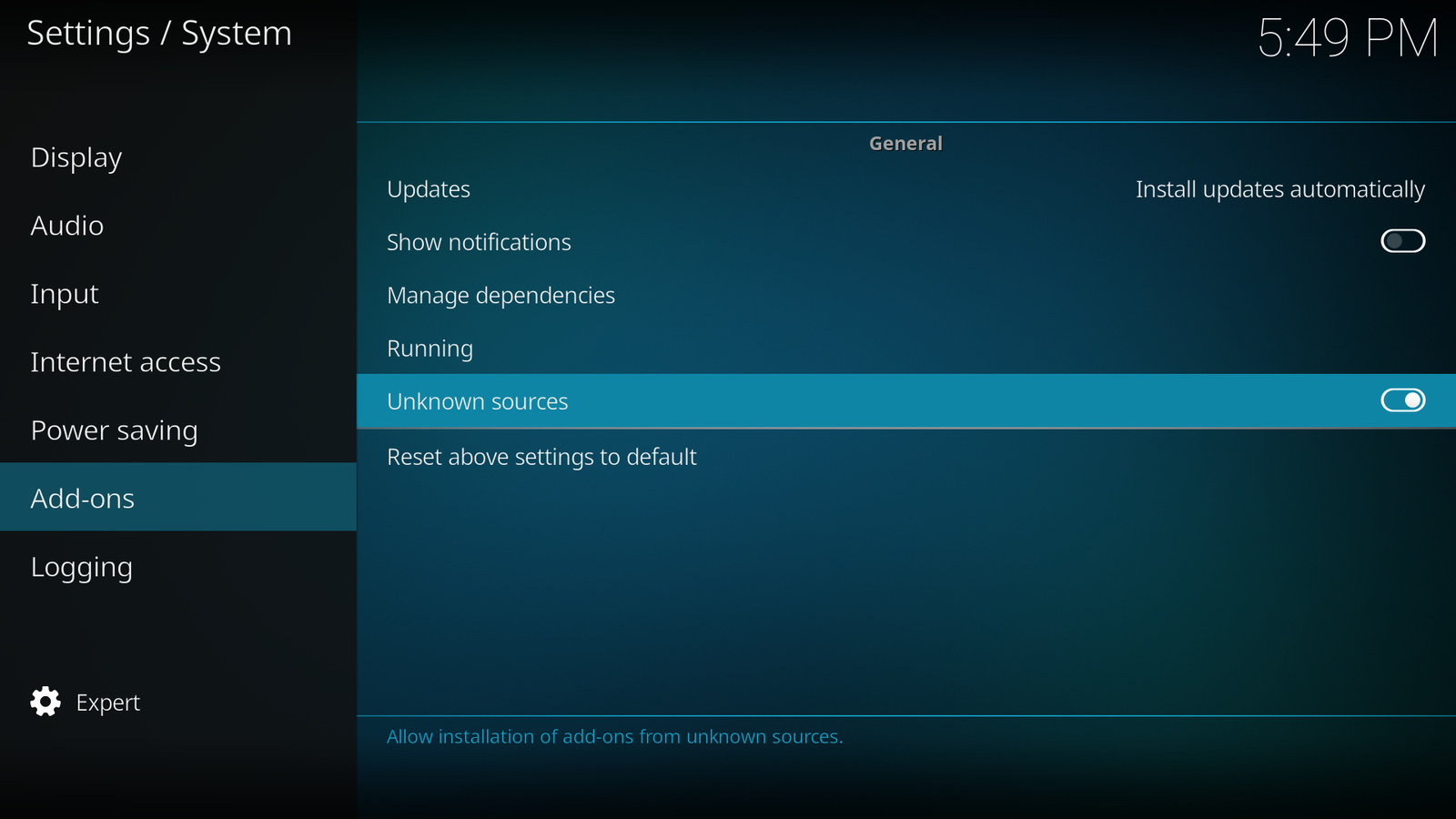
Press the back button on the remote
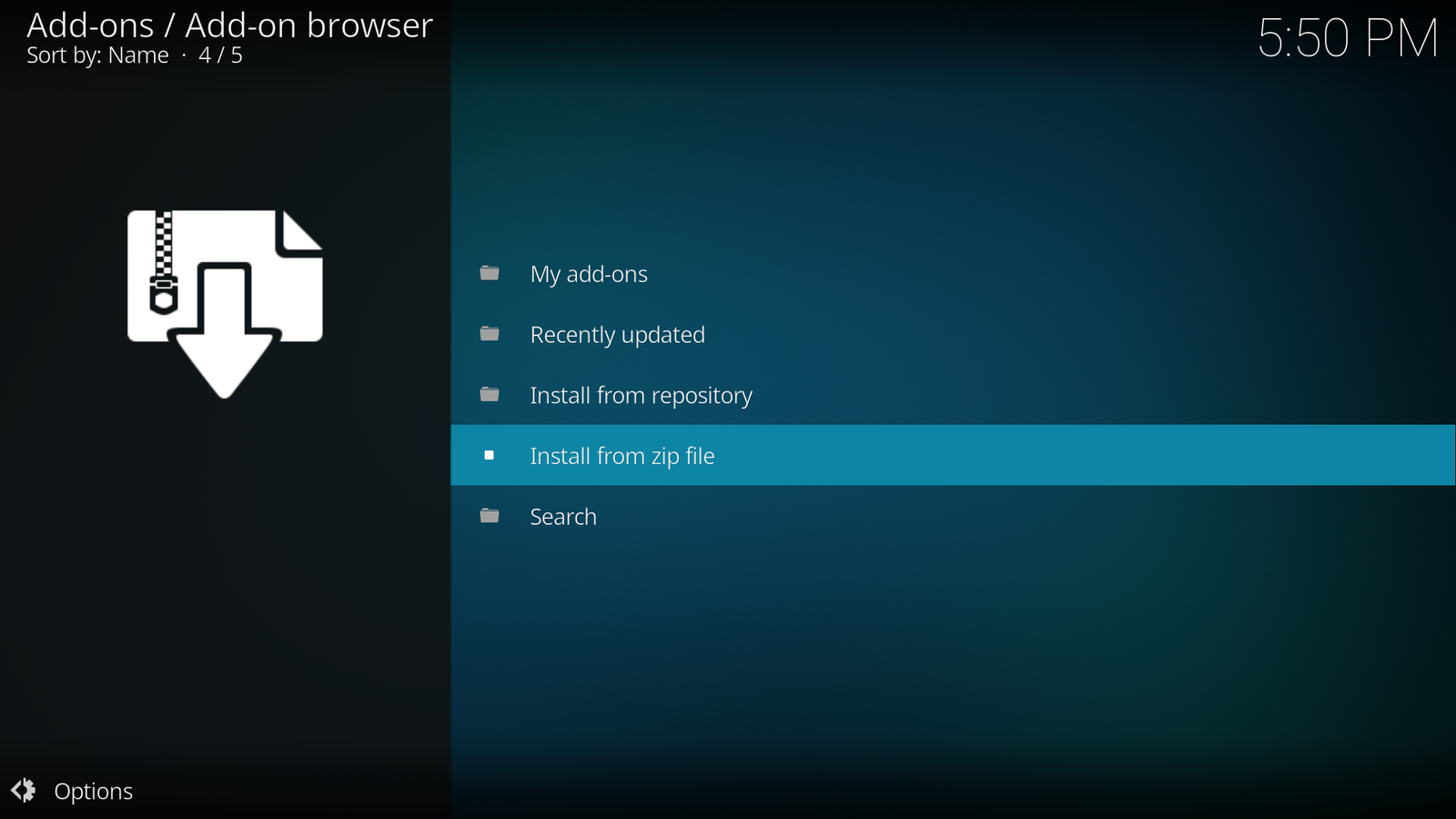
Click on Install from zip file again
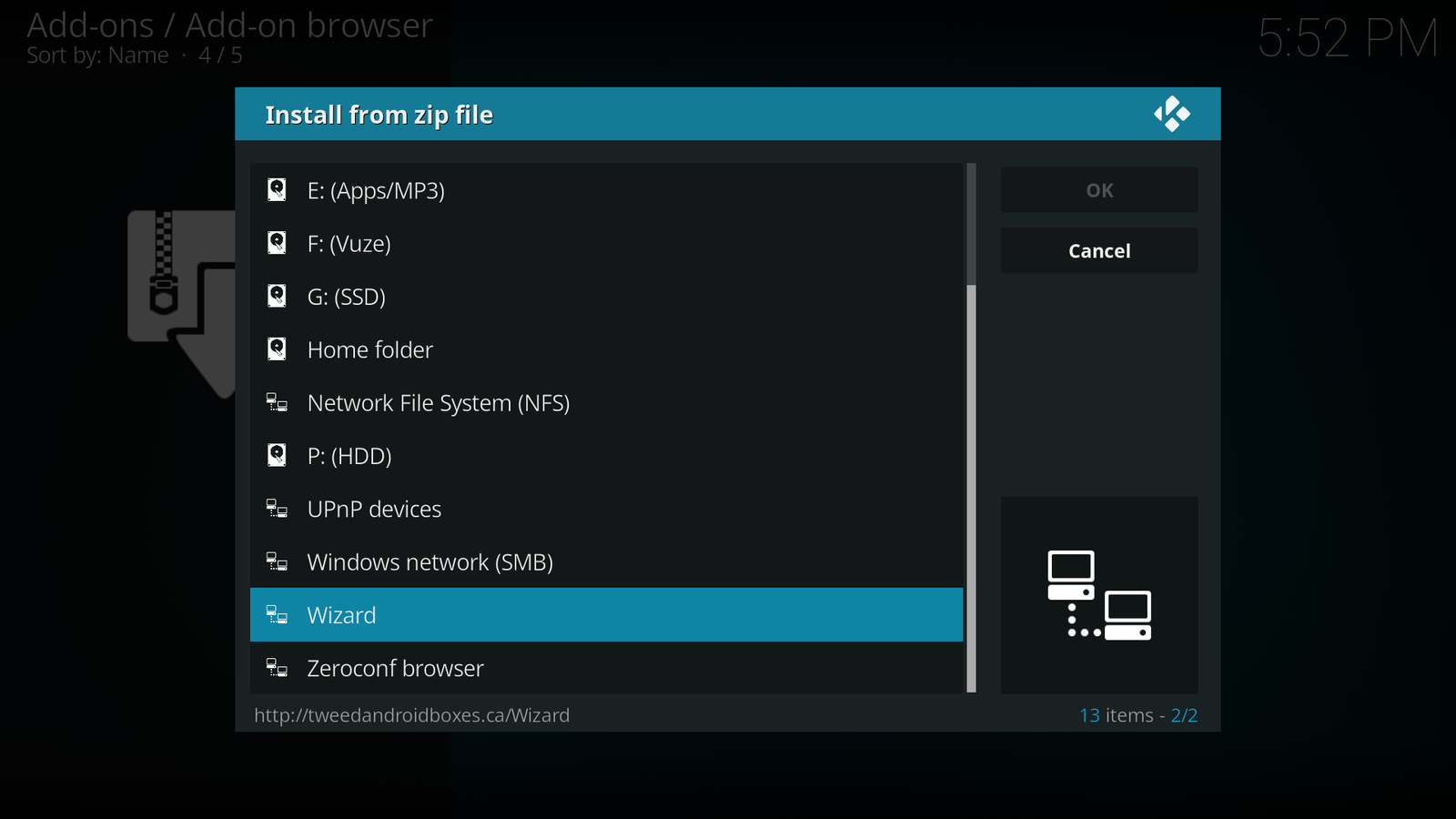
Select Wizard and press OK on the remote
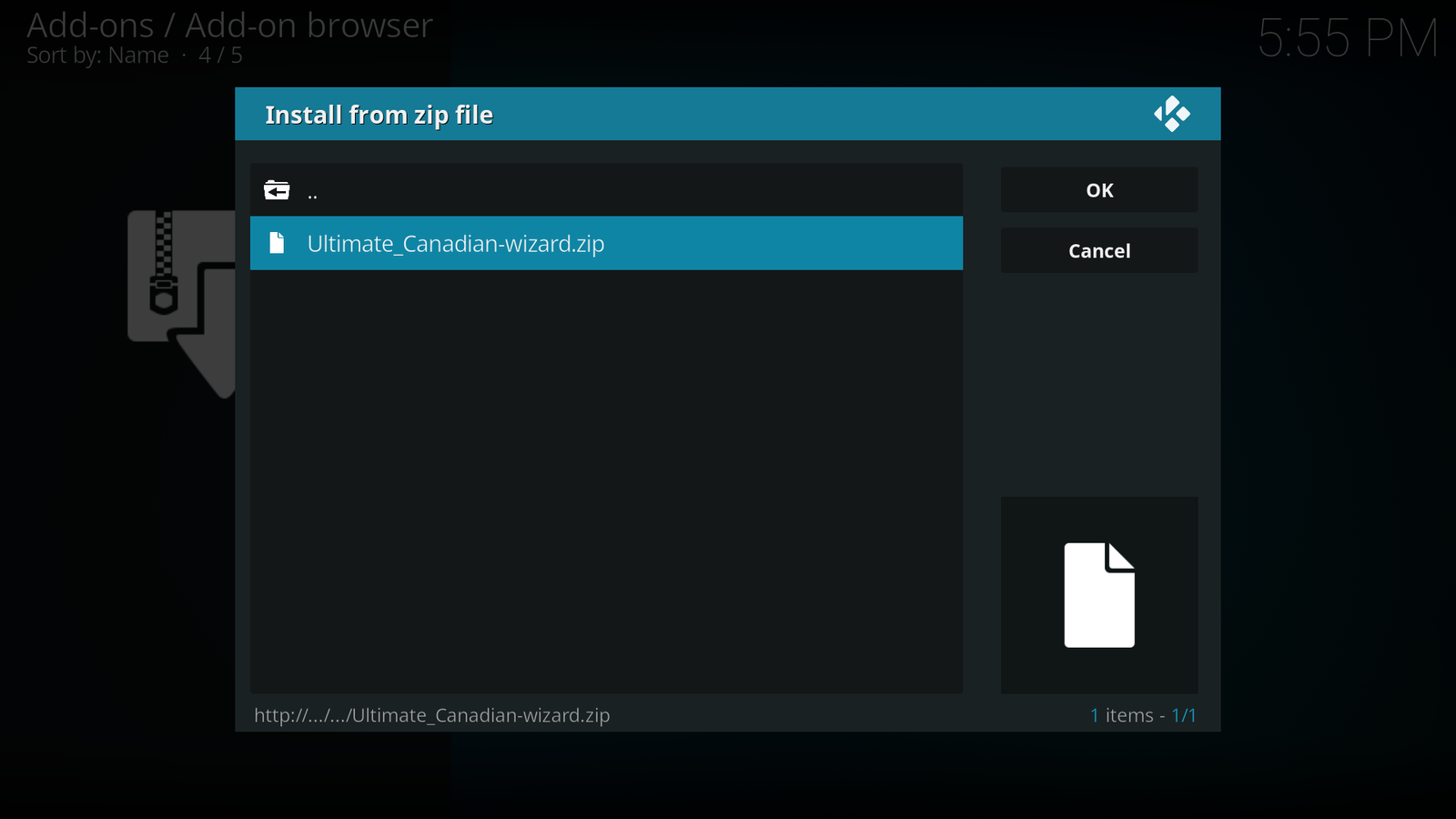
Select Ultimate_Canadian-wizard.zip and click OK
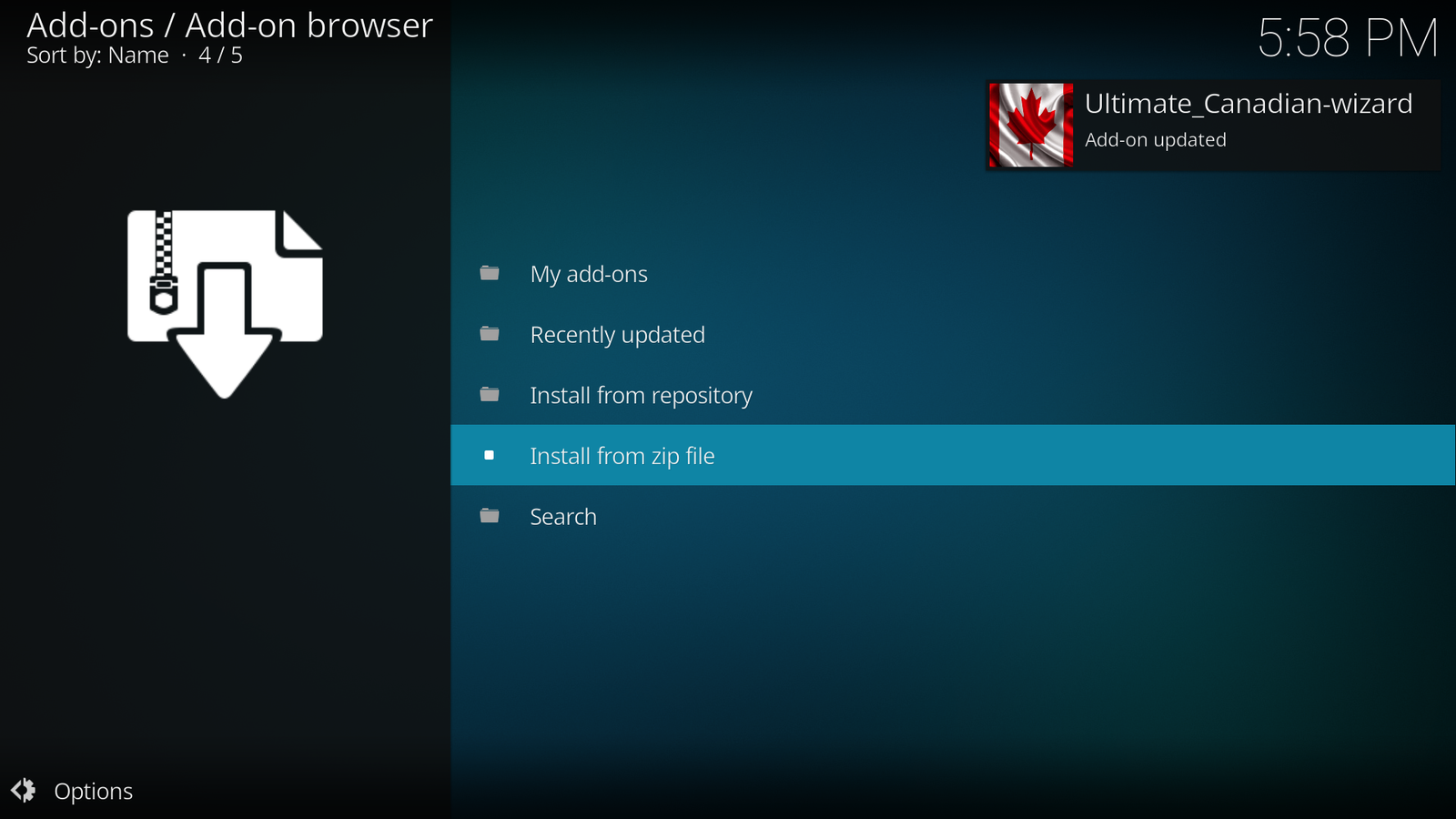
After about 2 minutes you will see above
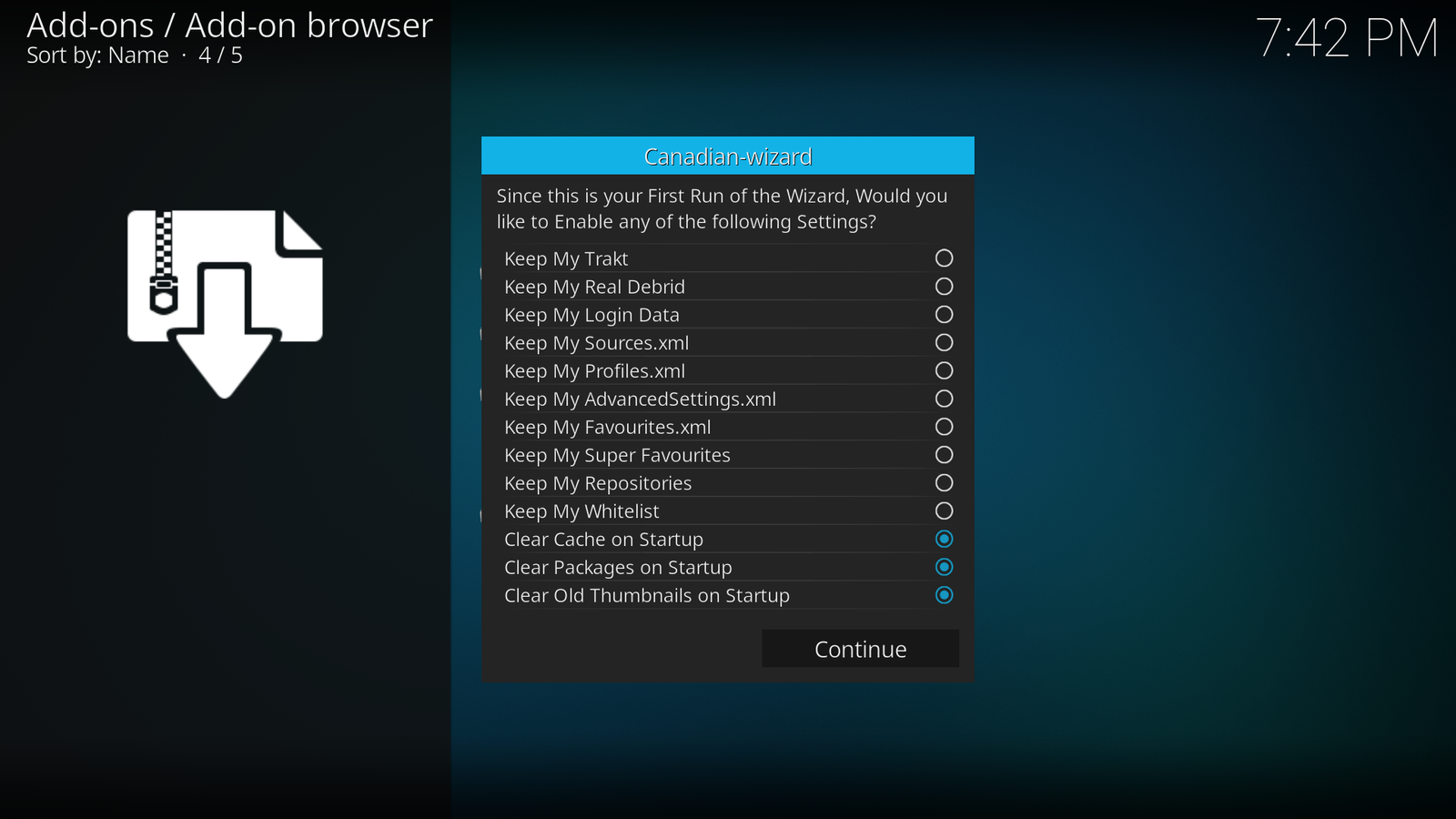
Click Continue
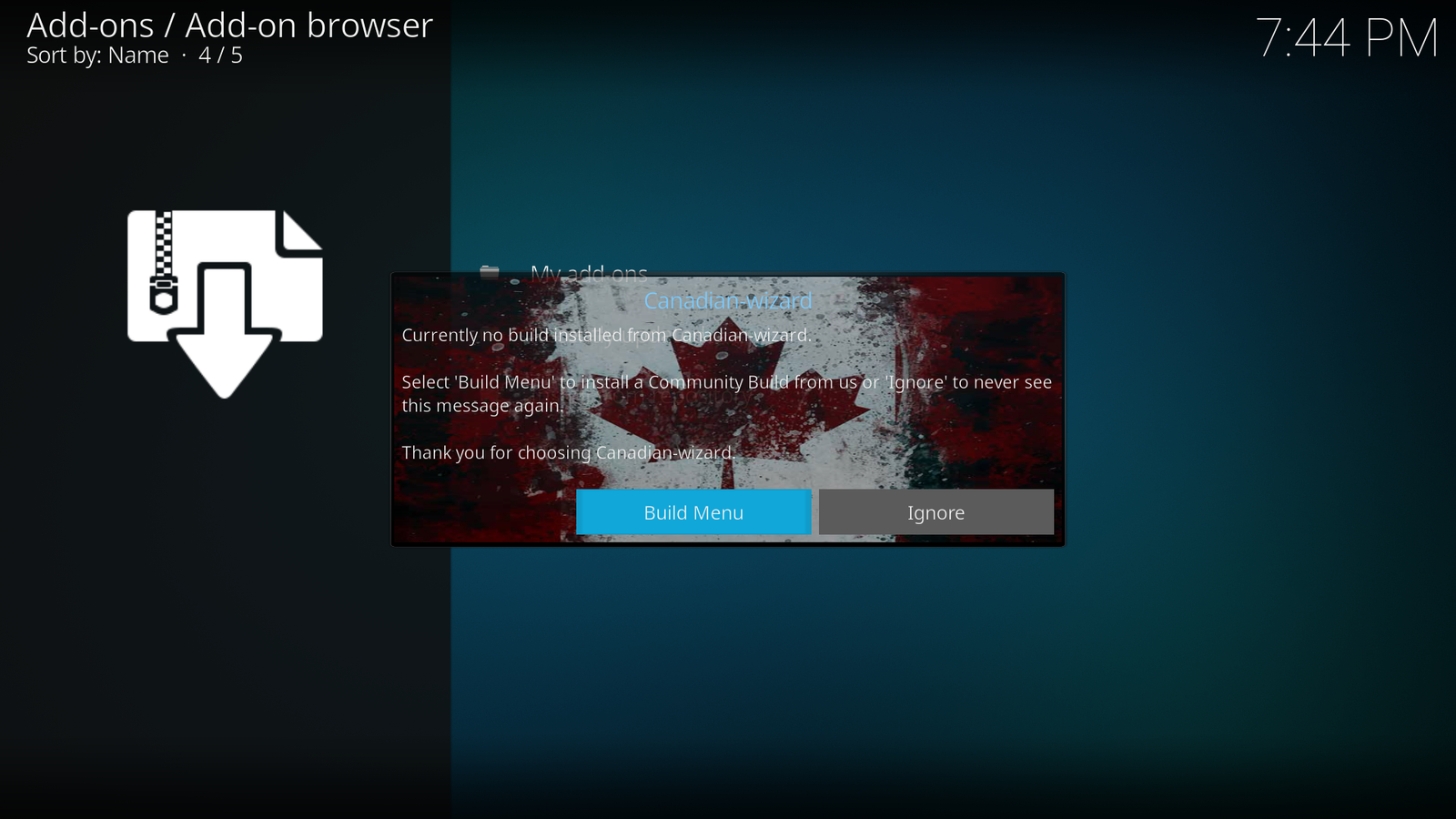
Click Build Menu
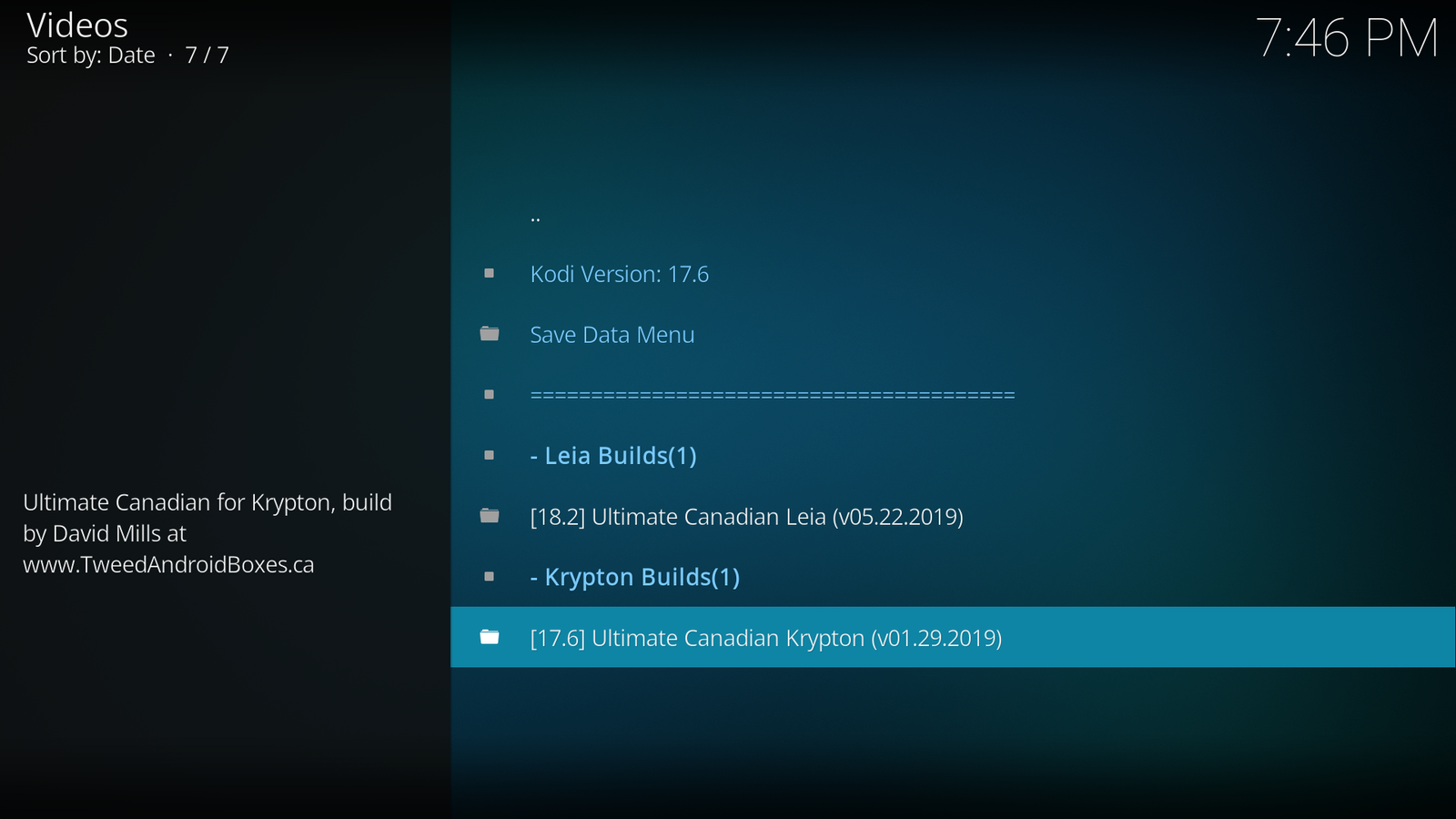
Click [17.6] Ultimate Canadian Krypton (vxx.xx.xxxx)
Select (Ultimate Canadian) Fresh Install
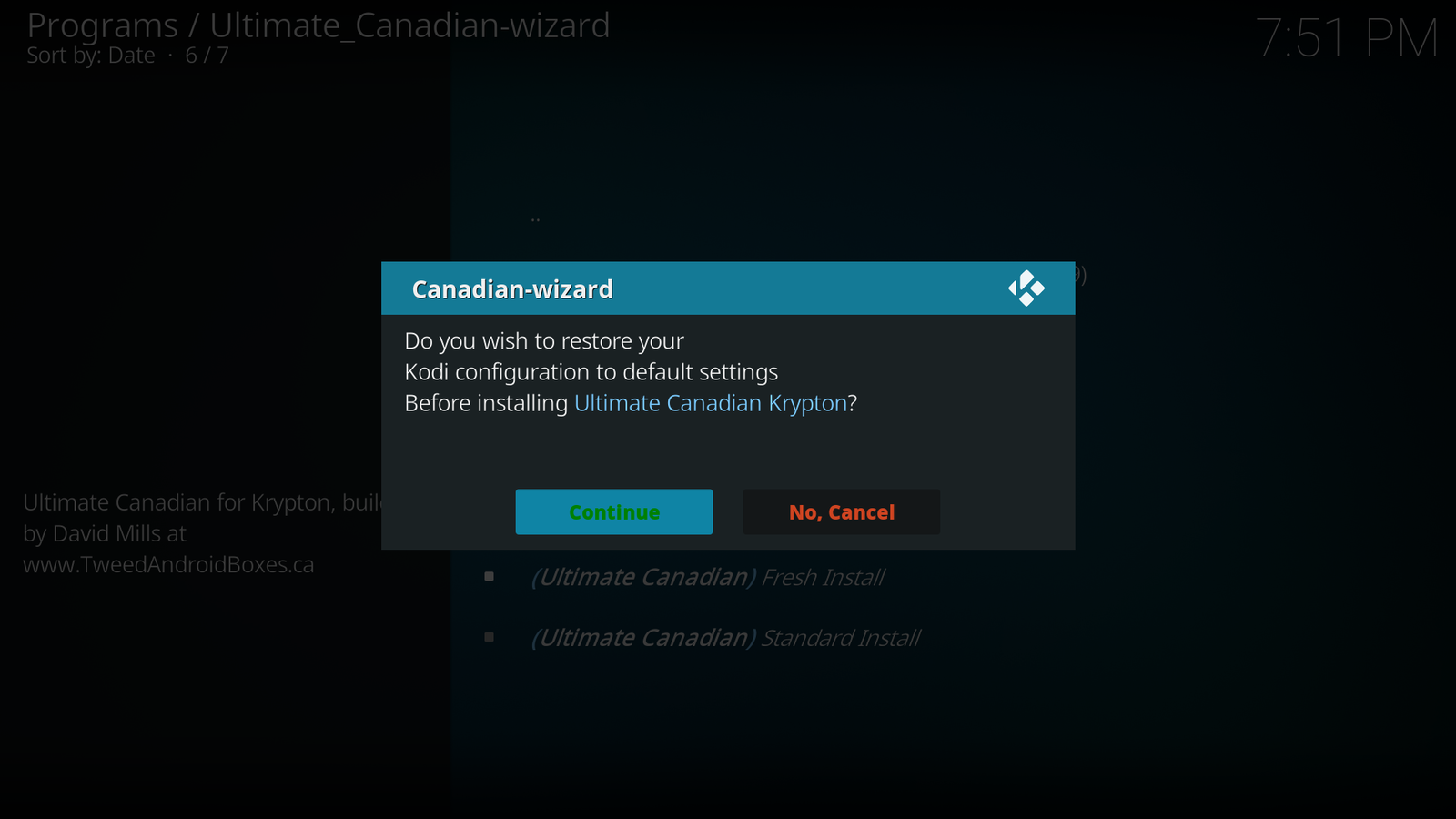
Click Continue
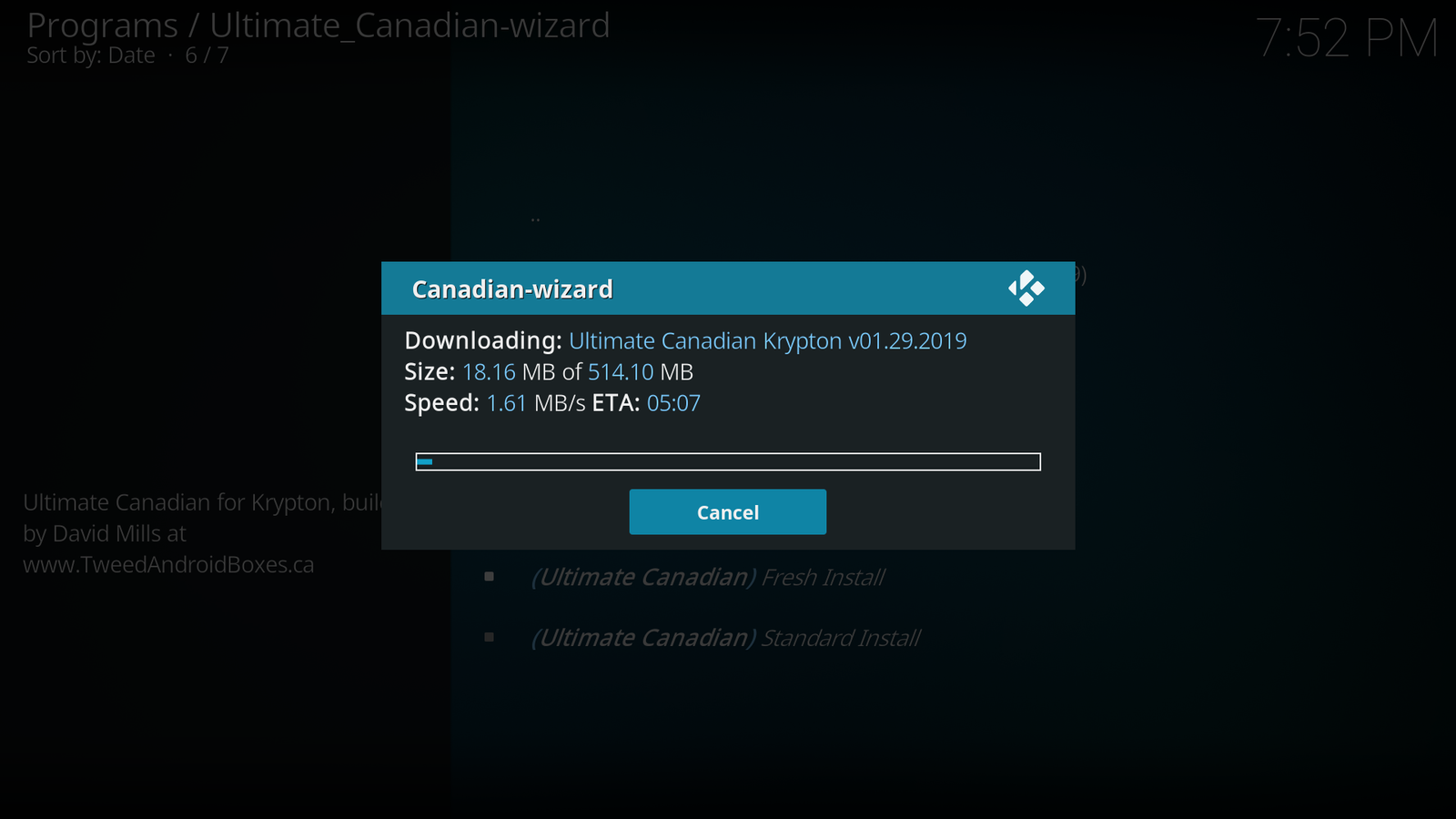
Depending on your internet speed, this can take some time
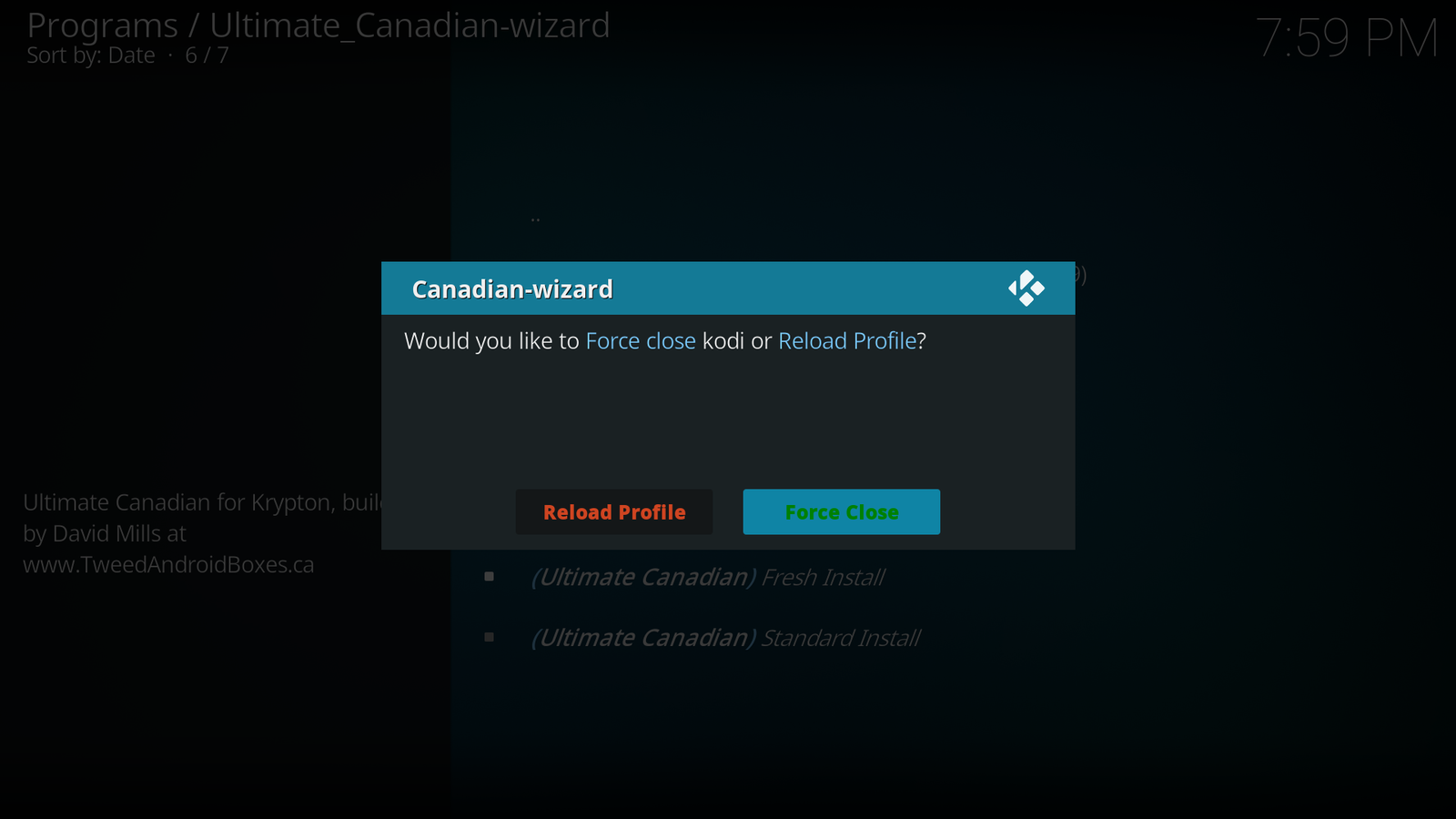
Click Force Close the open KODI as normal